Issues
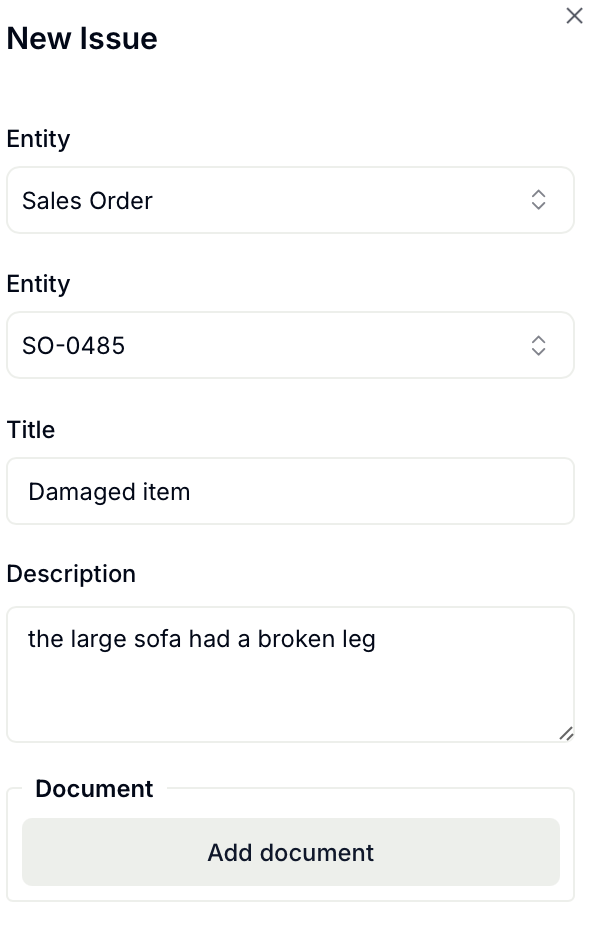
Issues are alerts meant to track any concern related to a Sales Order, Purchase Order, Shipment or Delivery.
Automatically created:
They will be automatically created if an expected date has passed and the Sales Order, Purchase Order, Shipment or Delivery was not completed.
Manually created:
1. Navigate to issues using the left panel.
2. At the top of the page select + New Issue.

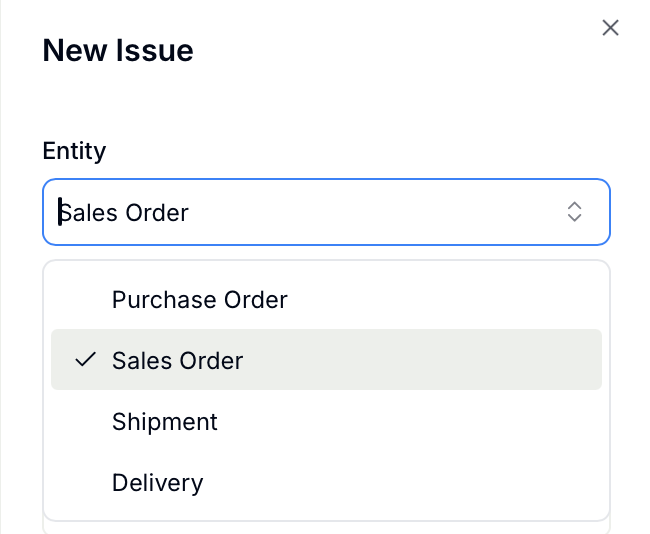
3. Choose the entity, or part of the workflow, where the issue occurred.
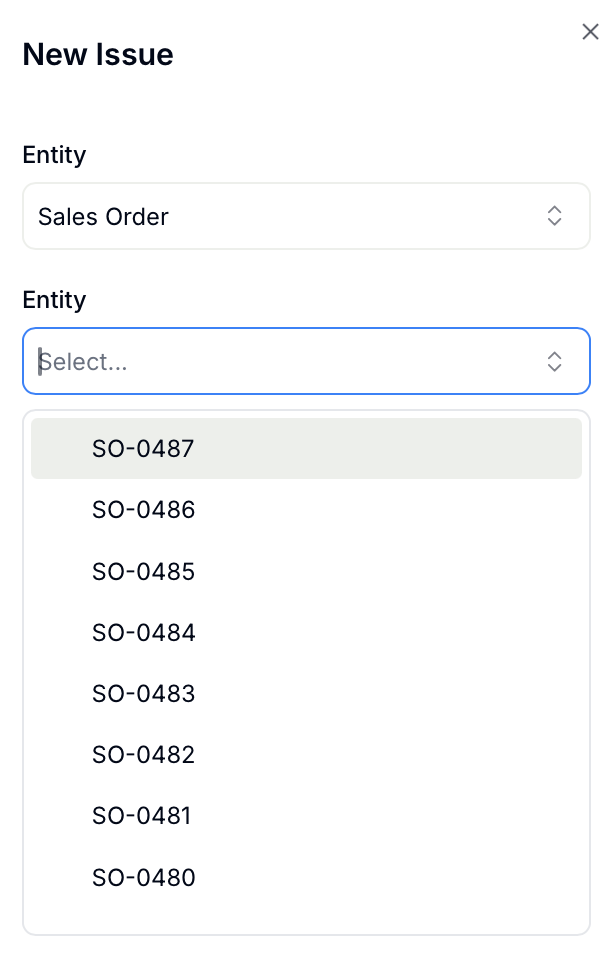
4. A list of associated entries will populate. Select the correct entry.
5. Add a title and relevant information and submit.