Use the CardPointe Virtual Terminal
If you are using Cardpointe for payment processing and the equipment is not working you can use the virtual terminal on their website.
1. Navigate to cardpointe.cardconnect.com. Or use https://cardpointe.com/account/#/virtualterminal
2. After logging in go to the Virtual Terminal tab.
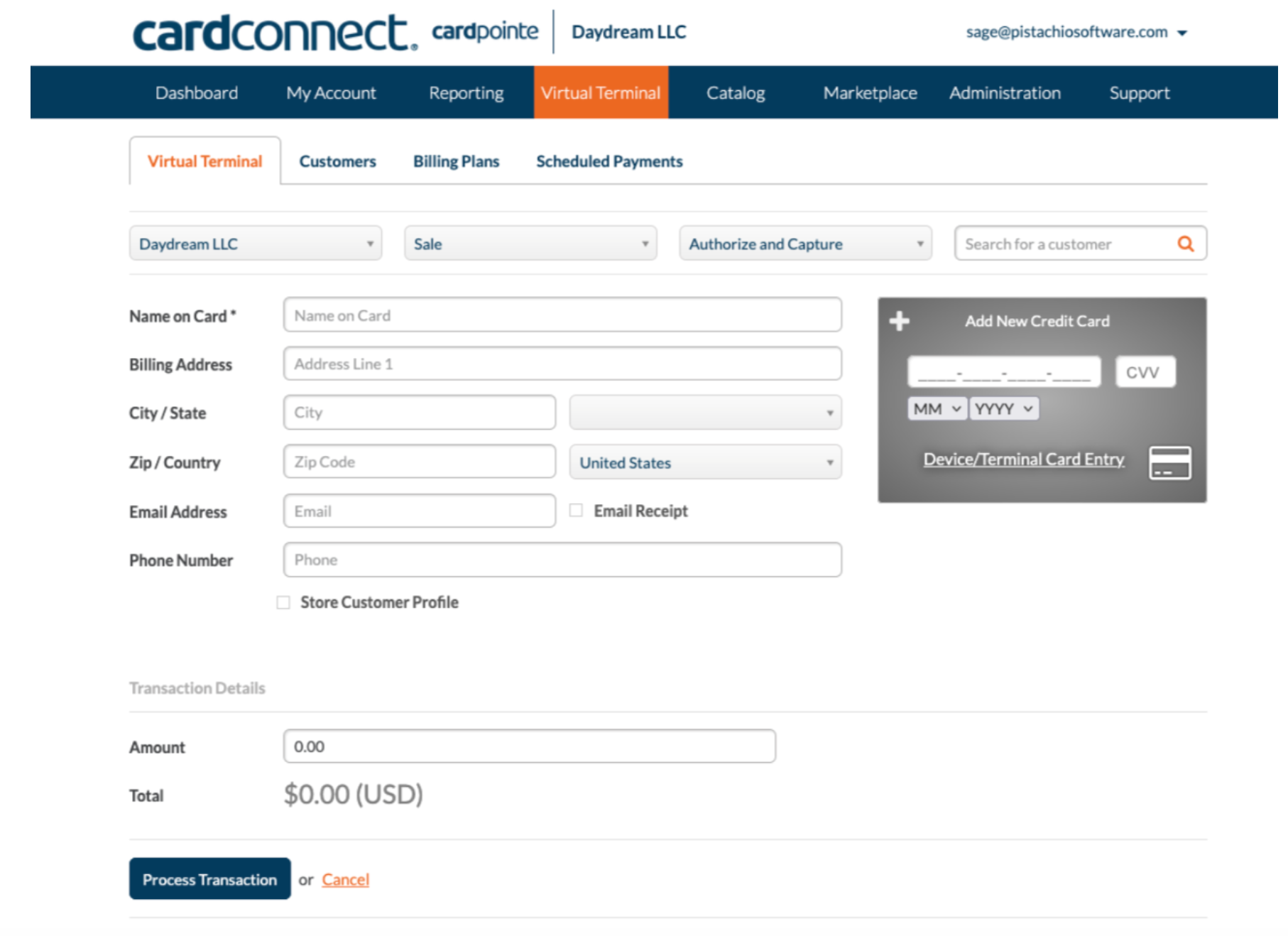
3. For each credit card sale enter the credit card information in the gray rectangle to the right.
4. In Pistachio, register a manual credit card payment to match what was processed on the virtual terminal.
Note: Not all salespeople have access to the virtual terminal. If a user needs access reach out to [email protected]
Was this helpful?
Still need help? Ask the team