Refund a Sales Order
You can create a refund automatically when returning or cancelling an item. Use the options below for scenarios where the customer will keep the item.
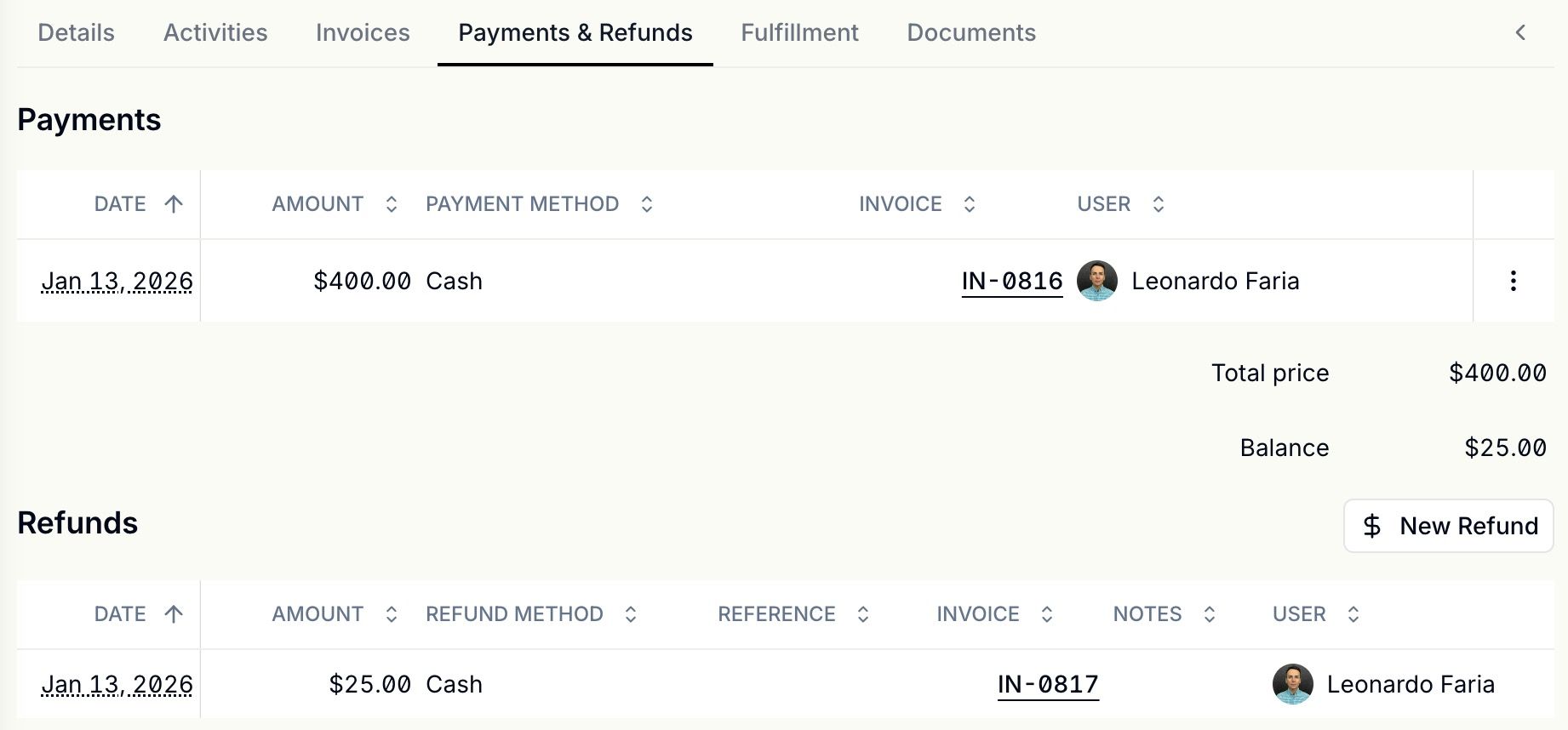
1. On the order's Summary page, go to the Payments & Refunds section and click New Refund.
2. Select the item(s) to refund, the amount and choose the refund payment type and then submit.
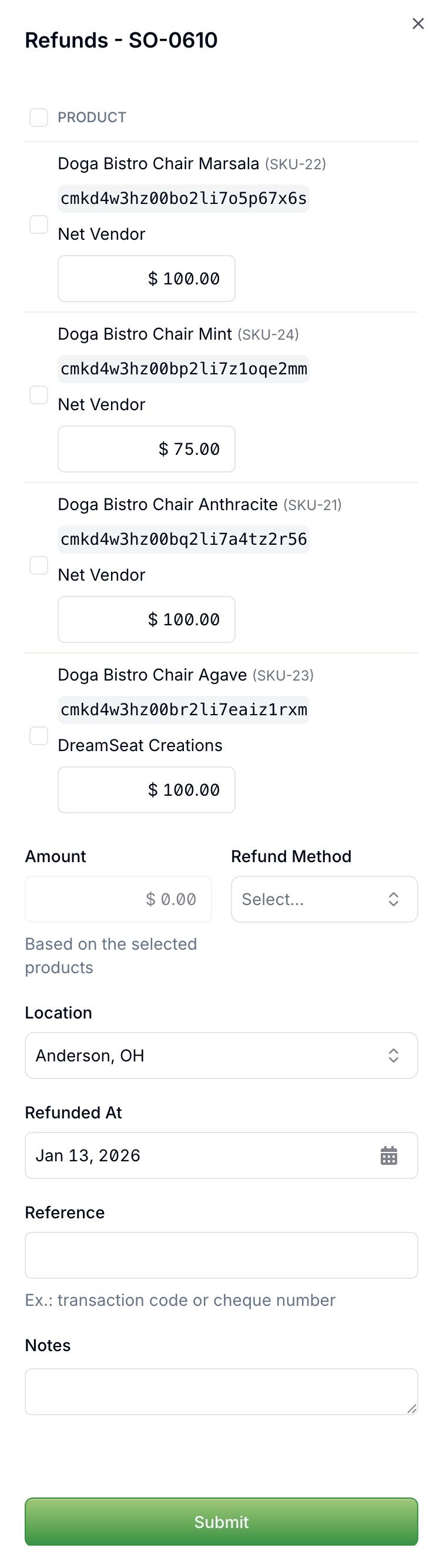
3. After submitting the form, the refund will be created.